
Floating Keyboard
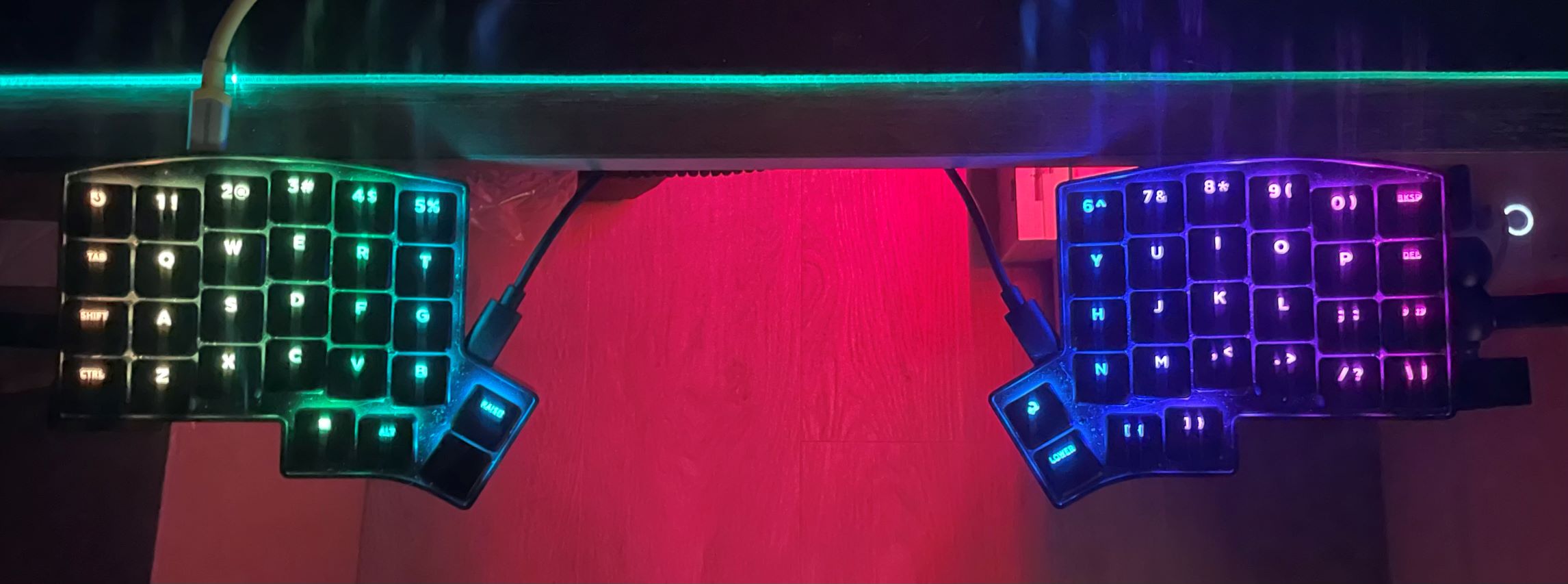
Some time ago I decided to try out one of those “ergonomic keyboards” as I have been typing so much and wanted to make my typing experience better. One of the top results is something that “splits” a normal keyboard into 2 halves and angle them so that your hands will naturally point towards a single point instead of forward and parallel. Having it split also allows the keyboard to physically be in two parts for more flexible placements.
After going through numerous options I found the Keebio Iris CE. Here are the reasons:
- it uses low-profile switches and key caps which I like a lot
- it has good reviews
- it has just enough keys that I use the most to keep it compact (though I wouldn’t mind it having a few more navigational keys)
- it is relatively affordable with what I get (aluminmum casing, glow keys with plenty of mix-and-match keys)
And so I got it and I enjoyed it a lot. Though I have to say it took me awhile to get used to it since I’ve developed my own sort of “bad” typing habits, like reaching over to the other side just to quickly type a key. Also since it’s essentially a 60% keyboard I have to memorize more key combos to type things like +=-_ and function keys. But all in all it was a very cool typing experience, as anticipated.
But here is the issue I had to resolve: my cat loves to lay flat on my desk when I’m there. This means I cannot type and her face will type for me with random key presses – I have to come up with a way such that I can still type (and before you ask, preventing her from jumping on my desk is not possible. I tried).
So my solution is to move the keybaord away from the desk, and hence the true motivation behind the floating keyboard.
Turns out there aren’t much options out there and one can’t really buy anything for a bespoke keyboard like mine. Eventually I found a post on Reddit by someone who made a contraption that attaches the split keyboard to the arms of their chair Reddit post. Unfortunately this person only listed a number of items they purchased from Aliexpress which I don’t buy from. But then this led to me finding out something called “magic arm” from another Reddit post. Combining these I had an idea:
get 2 magic arms and find something that my keyboard can attach to
Knowing what to find really sped up the process and in less than 1 hour I found what I wanted:
- magic arm Amazon link, which has a clamp on one side and allows the other side to be adjusted to any position and angle
- phone holder Amazon link, which comes with a magnetic ring sticker that I can attach to my keyboard so that it can stay on the holder
These two seemingly unrelated items do have a common piece: 1/4 inch thread, which is the key piece that connects them. And using the metallic ring sticker I essentially turn my keyboard into a MagSafe device.
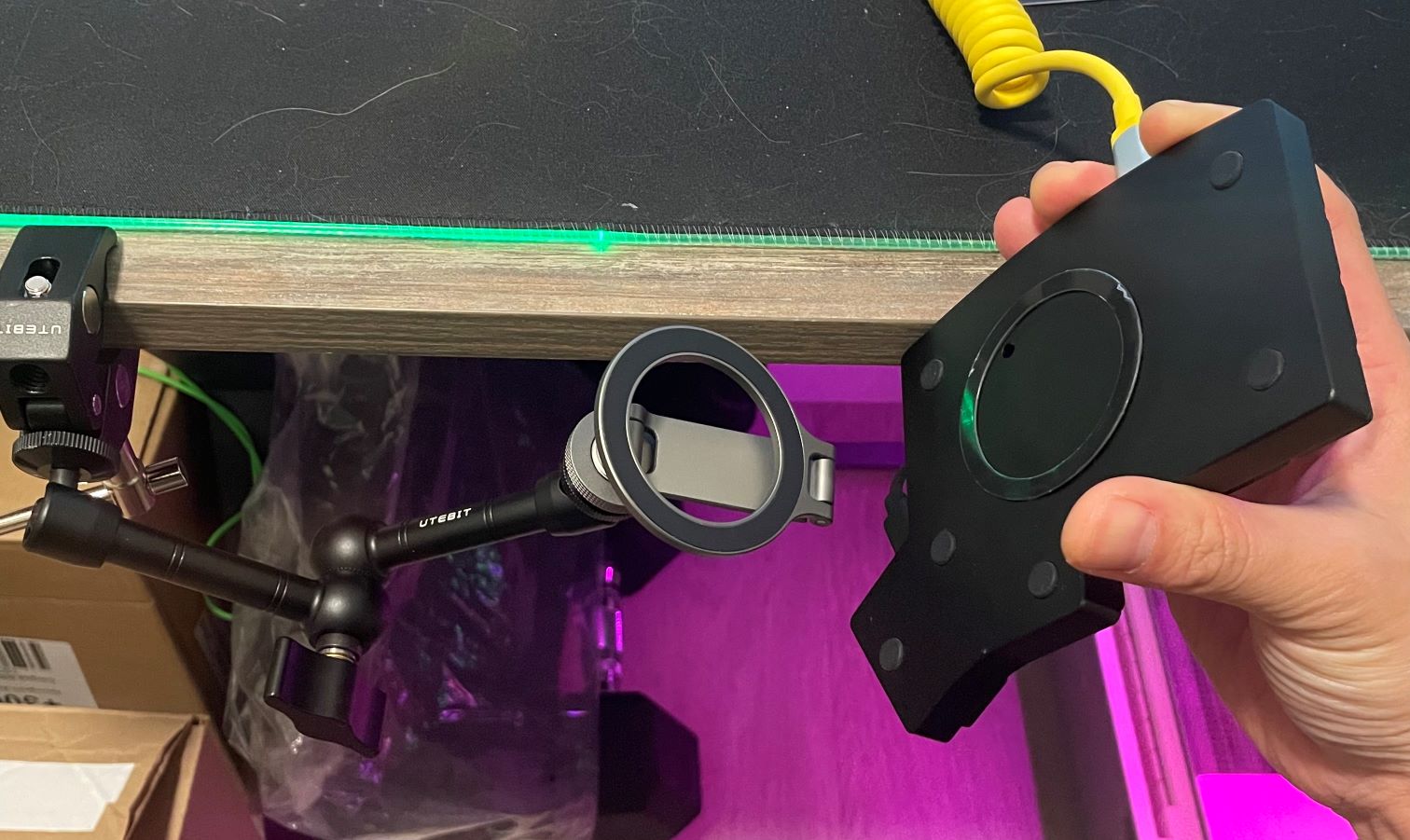
With a little trial and error and adjustment I got the angle and position just right. And the cat can lay on the desk.
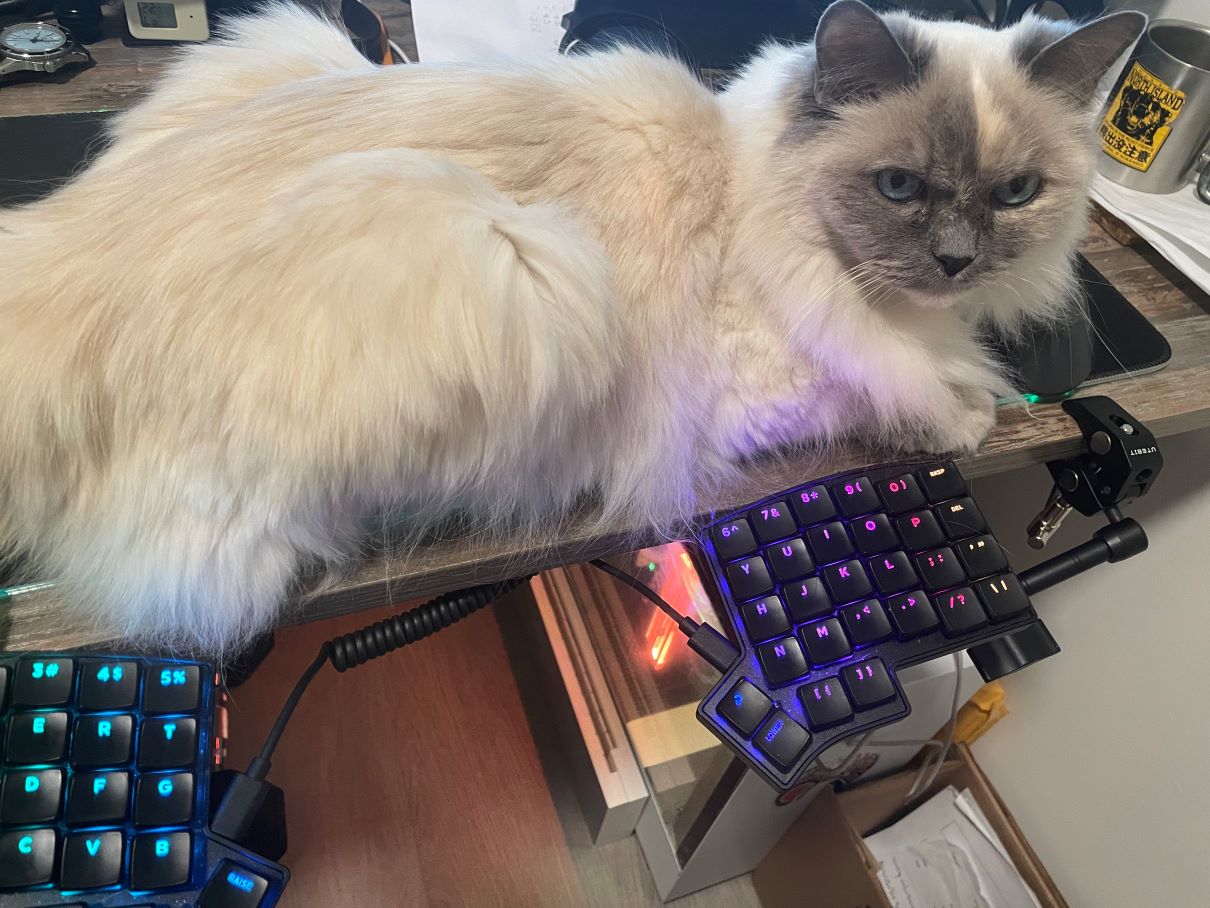
To perfect the setup I suppose I can get a wireless version of the keyboard, but that costs more and I’ll have to deal with charging it from time to time (though I don’t know how often it needs to be charged… may be I can just plug it in when I’m AFK). I might eventually try that with a wireless split keyboard which I have my eyes on for quite some time, when I have the budget, though I have to say I’m quite happy with what I have right now.